


 Back

How Casino Game Controls Work: Autoplay, Quick Spin & More
ExpiredCasino games move fast, but the buttons matter as much as the symbols. At Red Stag Casino, autoplay, quick spin, wager selectors, help screens, and stop buttons shape sessions. Knowing what they do helps you stay deliberate instead of tapping through the action.
Game Controls Are More Than Decoration
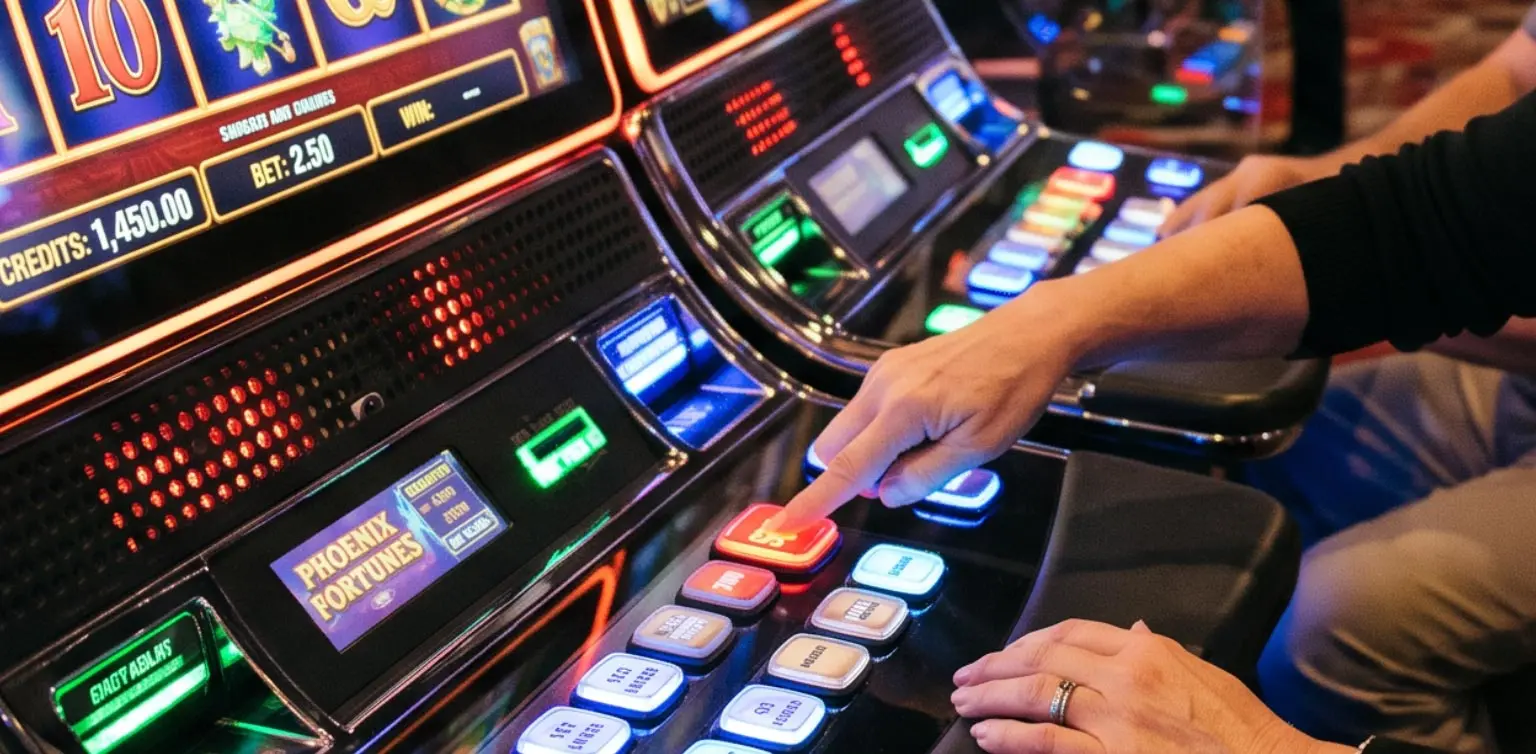
A casino interface is where you choose stake size, review rules, start or stop play, adjust sound, and sometimes select speed or autoplay. When you play Red Stag casino games, those controls can vary because different games and providers use different layouts and features.
Familiarity helps, but assumptions do not. Autoplay in one game may work differently in another. Quick Spin may shorten animation without changing the underlying result. Read the help screen first, especially when a feature changes how quickly wagers are placed, how long play continues, or how the game expects you to stop it.
6 Controls Worth Checking Before the First Spin
Before you settle into a Red Stag Casino game, find these controls:
- Bet selector. Shows the stake per spin or round and may adjust coin value, paylines, or total wager.
- Spin or Play. Starts one round after your wager is confirmed.
- Autoplay. If available, places repeated wagers automatically according to game settings.
- Quick Spin or Turbo. Where offered, shortens animations or transitions.
- Help or Paytable. Explains combinations, features, wager options, and special rules.
- Stop or Exit. Lets you interrupt autoplay, leave the game, or return to manual play when supported.
What Autoplay Actually Does
Autoplay is a convenience feature, not a strategy. When a Red Stag Casino game offers it, the feature can repeat wagers without requiring you to press Spin each time. Depending on the game, you may be able to choose the number of automatic rounds or other limits before autoplay begins.
Gaming Laboratories International’s standards treat autoplay as a player-interface feature that should be explained clearly and, where offered, controllable by the player. Autoplay changes how wagers are initiated, not the mathematics of the game. At Red Stag Casino, check the title’s help screen because availability, limits, and stop conditions can differ.
Quick Spin Changes Pace, Not Probability
Quick Spin, Turbo, or similarly named settings generally reduce waiting time between the start of a round and the final animation. That can make a game feel sharper and more immediate for players who prefer less visual buildup.
What it should not do is improve your odds. At Red Stag Casino, faster presentation should be understood as an interface choice, not a better mathematical setting. More rounds can fit into the same amount of time, so keep an eye on bet size, balance, and how many rounds you are actually playing. Faster visuals change rhythm, not probability.
Why the Help Screen Is One of the Best Controls
A help screen or paytable explains how the game works before you start guessing. GLI-19 says interactive game information should clearly describe interface controls, wager options, paytables, bonuses, free spins, autoplay, and other important features.
That makes the help screen the natural checkpoint before you use an unfamiliar control at Red Stag Casino. Look for minimum and maximum wagers, what the buttons do, whether a feature changes reel behavior, and how special rounds begin. A feature should be understood before it becomes part of your routine, especially when it changes speed or repeated play.
How to Use Controls Without Letting Pace Take Over
Controls are useful when they help you play the way you intended. They become less useful when speed takes over and you stop noticing wager frequency. At Red Stag Casino, set your stake first, understand the controls, and decide whether autoplay or quick spin suits the session you want.
If you turn autoplay on, know how to stop it. If you increase speed, keep the same awareness of your balance you would during slower play. If you change bet size, check the total wager before the next round. Control should stay with the player, not the interface.
FAQ: Casino Game Controls
Q. Does every slot have autoplay?
A. No. Red Stag Casino games use different providers and control layouts, so check each specific title.
Q. Does Quick Spin improve winning chances?
A. No. It changes presentation speed, not mathematical probability.
Q. Can autoplay be stopped?
A. Where offered, the game should provide a way to return to manual play or stop the sequence.
Q. Where do I find betting limits?
A. Check wager controls, the paytable, or help screen before starting.
Q. Do controls work the same on mobile and desktop?
A. Functions may be similar, but placement can change with screen size or game design.
Play the Game - Don’t Just Push Buttons
The best game controls disappear into the experience because you understand them. Bet selectors tell you what is at stake. Help screens tell you how the game works. Autoplay can automate repetition, and Quick Spin can change the pace. But none of them should replace your actual real human awareness.
At Red Stag Casino, learn the controls before the action gets moving, but make sure YOU choose the pace that fits your session.
A Final Word
Ready to try the lodge with a clearer grip on the interface? Register now, open the Video Slots library, and make those settings work for you!